The Gaming Line Icon: Your Visual Gateway to Digital Entertainment
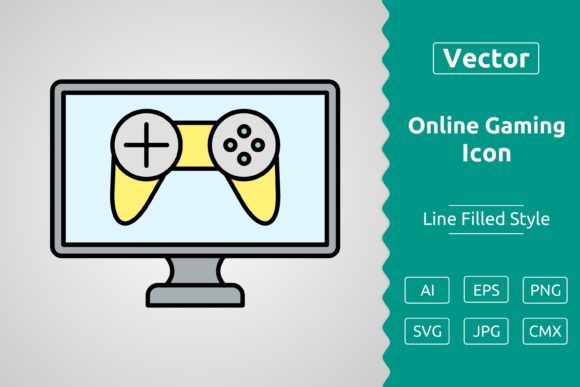
In the vibrant digital landscape, an icon can speak volumes. A Gaming Line Icon is more than just a simple graphic; it’s a distilled symbol representing the entire world of interactive entertainment. Whether you’re a game developer branding your new app, a marketer creating a campaign for an esports event, or a blogger needing a clean visual for your reviews, this specific icon style offers clarity and instant recognition. Its “line” style—characterized by clean, unbroken strokes and often a minimalist aesthetic—communicates modernity and precision. People are drawn to it because it provides a universally understood visual shorthand for gaming, bypassing language barriers and fitting seamlessly into sleek, contemporary designs.
The Scalability Advantage: Why File Format Matters Most
A common and costly oversight is treating an icon as just a picture. The true power of a well-produced Gaming Line Icon lies in its technical backbone, specifically its file format. The trio of SVG, JPG, and EPS isn't just a list of options; it’s a toolkit for different scenarios. Choosing the wrong one can lock your project into a cage of limitations.
Imagine using a JPG file for your website’s header icon. It looks fine on your monitor, but when a user visits on a high-resolution 4K display, the icon becomes blurry or pixelated. This directly affects perceived quality and professionalism. Alternatively, you might use that same JPG in a printed brochure, only to find it renders with ugly compression artifacts. The mistake here is thinking of an icon as a static asset. A better approach is to think of it as a flexible component that must adapt to screens, print media, and scalable user interfaces.
Overlooking SVG: The Silent Killer of Flexibility
Perhaps the most frequent misunderstanding is underutilizing the SVG (Scalable Vector Graphic) format. Many download an icon pack, see the SVG file, and default to using the JPG because it feels more familiar. This is a decision that hampers efficiency and quality down the line. SVG is not just another format; it's a vector format. This means the icon is defined by mathematical points and lines, not pixels. You can resize it to be 50 pixels tall or 5000 pixels tall without any loss in clarity. It’s essential for responsive web design where an icon must look perfect on a smartphone, tablet, and desktop.
A practical correction: if your project involves any digital medium—website, app, presentation—SVG should be your first choice. It ensures crisp edges at any size, often has a smaller file size than a high-res JPG, and can be edited directly in code (like changing its color) without needing a graphic editor. Before using any Gaming Line Icon, check if an SVG version is provided. If it’s not, you might be purchasing an asset that will limit your project’s future scalability.
Misjudging Context: The Right Icon for the Right Message
Another subtle mistake is applying a generic Gaming Line Icon without considering the specific context it will serve. A line icon depicting a simple gamepad might perfectly symbolize console gaming, but it could be misleading for a mobile gaming tournament announcement. The icon’s details—is it a controller, a mouse, a joystick, a simple play button?—should align with your message. Using an overly generic icon can dilute your communication, making your content feel less tailored and authentic.
For example, a freelance graphic designer creating a flyer for a retro gaming night should seek a line icon with a classic joystick or pixelated heart, not a modern VR headset. The mismatch affects audience connection and satisfaction. The advice is to evaluate the icon’s specific design elements before committing. Look beyond the label “gaming icon” and ask: “Does this visual specifically represent the facet of gaming I am talking about?”
The EPS Factor: For When You Need to Edit or Print
While SVG reigns for digital use, the EPS (Encapsulated PostScript) file is the professional standard for print and complex editing. A misunderstanding is assuming SVG can replace EPS in all professional graphic design workflows. If you are a creator who needs to integrate the icon into large-scale print materials—billboards, merchandise, detailed illustrations—or you need to hand the asset off to a professional printer, the EPS format is often required. It maintains vector integrity in professional printing software that might not fully support SVG.
Before making a buying or downloading decision, check if the Gaming Line Icon package includes a true, editable vector EPS file. Some sellers provide only raster formats (JPG, PNG) and a “vector” SVG, which is fine for web but may not suffice for high-end print. A better approach is to acquire icon sets that explicitly include EPS for maximum professional utility. This avoids costly last-minute asset changes when your print vendor requests an EPS.
Quality Traps: Low-Resolution Sources and Inconsistent Sets
In the rush to find a free or cheap asset, many beginners and entrepreneurs download icons from questionable sources. The resulting Gaming Line Icon might look okay in the preview, but upon closer inspection, the lines are uneven, the corners aren't sharp, or the icon set is inconsistent—one icon is thick-line style, another is thin-line, breaking visual harmony across your project. This directly affects the cohesiveness and polish of your final presentation.
A corrective, practical step is to always inspect the icon at 100% zoom or, better yet, open the vector file (SVG or EPS) in a simple viewer to check the path quality. If you’re using a JPG, ensure there is a high-resolution version (e.g., 2000x2000 pixels) to cover most scaling needs. Furthermore, when downloading a set, look for style consistency across all icons. A unified set saves immense time and ensures brand coherence. A realistic example: a small business owner building a website for a gaming cafe should use a consistent icon set for “gaming,” “food,” and “events” rather than patching together icons from three different designers.
Integration Errors: Color and Background Neglect
Even with a perfect, scalable SVG file, a common application error is neglecting how the icon will interact with its background. A black line icon placed on a dark grey background will disappear, harming usability and visual hierarchy. The assumption that an icon will “just work” is a pitfall. The solution is baked into the file format choice: vector formats (SVG/EPS) allow you to easily change the stroke color via code or design software.
Before applying the icon, test it on your actual backgrounds. If the icon package includes multiple pre-colored versions (JPGs in white, black, etc.), that’s helpful, but the true flexibility comes from the vector files. Your pre-deployment check should include: “Can I easily modify the color of this icon to contrast properly with my chosen background?” If the answer is no, you might need a different asset or format.
By approaching a Gaming Line Icon not as a decorative image but as a fundamental, technical component of your design, you unlock its full potential. Prioritize scalable vector formats (SVG for digital, EPS for print and pro editing), scrutinize the visual details for contextual fit, and source from quality, consistent sets. This mindful approach ensures your symbol for gaming remains sharp, appropriate, and professional across every screen and page it graces.